WhatsApp Business Welcome Message Examples to Copy

A good WhatsApp Business welcome message says who you are, asks one clear question and tells the customer when to expect a reply. For example: "Namaste, thanks for messaging [Shop Name]. Please tell us the item and quantity you need. We reply between 10 am and 8 pm."
Everything below is for the WhatsApp Business app on your phone, not the paid API route. Replace the words in square brackets, and delete any promise you cannot keep.
What is the difference between a greeting, an away message and a quick reply?
These three tools get mixed up, and the mix-up produces odd chats. Meta's business app features page describes a greeting as a custom welcome message sent automatically to new customers when they start a conversation, an away message as an automatic reply to messages received outside your business hours, and quick replies as shortcuts for messages you send often.
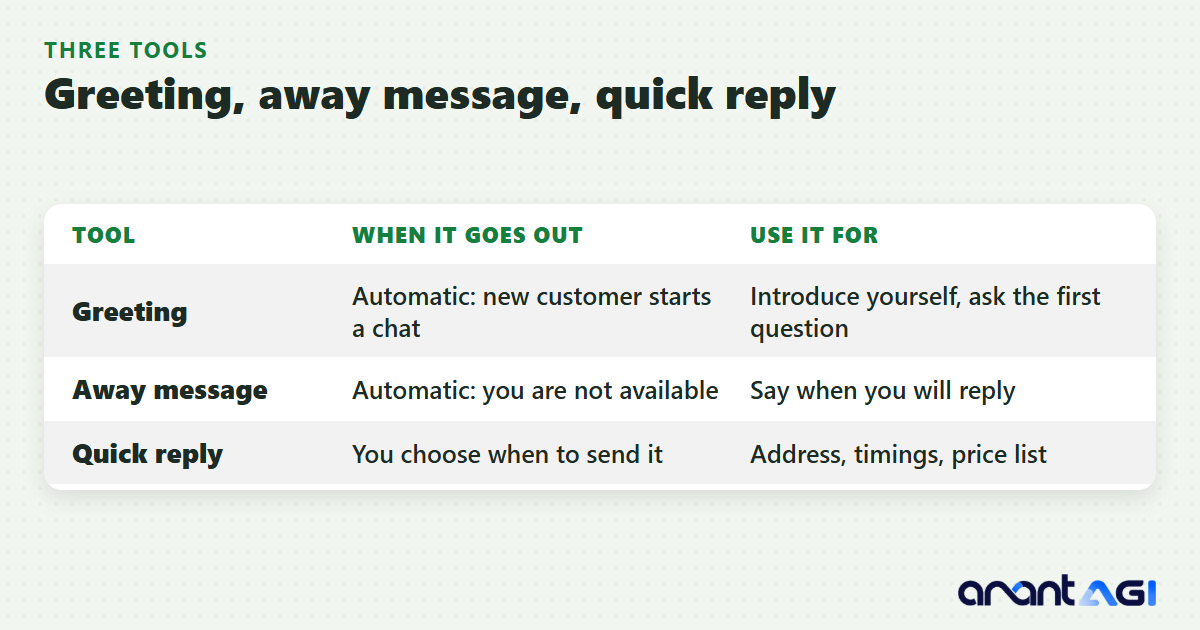
| Tool | Who sends it | When it goes out | Use it for |
|---|---|---|---|
| Greeting message | The app, automatically | When a new customer starts a chat | Introduce the business and ask the first question |
| Away message | The app, automatically | When you are not available, for example after hours | Say you are closed and when you will reply |
| Quick reply | You, by choosing it | Whenever you decide | Address, timings, price list, payment details, documents needed |
The simple rule: the greeting opens the chat, the away message protects your time, and quick replies save your typing. A greeting should not try to answer every question. A quick reply should not pretend to be personal when it is not.
A third-party guide that summarises WhatsApp's Help Center, published by a vendor, adds three details: the greeting goes out on a customer's first message or after 14 days without activity in the chat, greeting and away messages need your phone to have an internet connection, and you can store up to 50 quick replies. I could not read the Help Center article text itself, so check these in the Help section of your app before you depend on them.
How do I set a greeting message in WhatsApp Business?
Open the WhatsApp Business app and look in its business tools section for the greeting message option. Menu names differ between Android and iPhone and change with app updates, so follow what your phone shows rather than a screenshot from an old article.
Before you switch it on, run this checklist:
- [ ] Business name appears in the first line
- [ ] One question, not four
- [ ] A reply time or working hours that are true
- [ ] No price or offer that expires without you noticing
- [ ] No request for OTPs, card numbers or other sensitive details
- [ ] Tested by messaging your business from another number
If you are looking for triggered messages tied to invoices or bookings, that is a different subject, covered in what WhatsApp business automation software actually does.
What are good welcome message examples for a shop?
A shop enquiry usually needs the item, the quantity and the area for delivery. Ask for exactly that.
General shop, English
Hello, thanks for messaging [Shop Name]. Please send the item name or a photo, and the quantity you need. We reply between [10 am] and [8 pm].
General shop, Hinglish
Namaste, [Shop Name] mein aapka swagat hai. Aapko kaunsa item chahiye aur kitni quantity? Photo bhi bhej sakte hain. Hum [10 baje se 8 baje] tak reply karte hain.
Shop with home delivery, English
Hi, this is [Shop Name]. To check delivery, please share your order and your area or landmark. We will confirm availability and delivery time before you pay.
Shop with home delivery, Hinglish
Hi, [Shop Name] se. Apna order aur area ya landmark bhej dijiye. Payment se pehle hum availability aur delivery time confirm karenge.
The last line of the delivery example matters. It tells the customer that sending a list is not yet a confirmed order, which avoids an argument later.
What are good welcome message examples for a clinic?
A clinic greeting needs more care. Keep it to appointments and logistics, and do not invite people to type their medical history into the first message. Add a clear line for emergencies, because someone may read your greeting at a bad moment.
Clinic, English
Hello, you have reached [Clinic Name]. For an appointment, please share the patient's name and your preferred day and time. This chat is not monitored for emergencies. If it is urgent, call [number] or visit the nearest hospital.
Clinic, Hinglish
Namaste, [Clinic Name] mein aapka swagat hai. Appointment ke liye patient ka naam aur preferred din aur time bhejiye. Yeh chat emergency ke liye nahi hai. Urgent ho to [number] par call karein ya najdeeki hospital jaayein.
Clinic, report or follow-up enquiry
Thanks for messaging [Clinic Name]. For report collection or a follow-up visit, please share the patient's name and visit date. Our front desk will reply during [timings]. Medical advice is given only by the doctor during consultation.
Decide who can see the clinic phone, since patient messages will collect there. If you also send appointment reminders, the opt-in and wording points in salon appointment reminder messages are a useful starting list, though a clinic should be stricter about what it puts in a message.
What are good welcome message examples for a hoarding enquiry?
An outdoor advertising enquiry is only useful once you know the location, the dates and the budget range. A greeting that collects them saves several rounds of back and forth. If the format names are new to you, see what outdoor advertising is.
Hoarding enquiry, English
Thanks for contacting [Agency Name]. To suggest sites, please share: 1) city and area, 2) start date and duration, 3) product or event to be advertised. We will reply with available options and a quotation.
Hoarding enquiry, Hinglish
[Agency Name] se contact karne ke liye dhanyavaad. Sites suggest karne ke liye bataiye: 1) city aur area, 2) start date aur kitne din, 3) kya advertise karna hai. Hum available options aur quotation bhejenge.
Site owner offering a wall or rooftop
Namaste, [Agency Name] se. Apni site dene ke liye location pin, saamne se ek photo aur approx size bhejiye. Team site dekhne ke baad hi baat aage badhayegi. Yeh message agreement nahi hai.
This is a numbered list inside one message on purpose. Three numbered points are easy to answer. A paragraph of questions is not.
What should the away message say?
An away message has one job: stop the customer wondering whether anyone received the message. Say you are unavailable, say when you will reply, and give one alternative only if it is real.
| Situation | Away message wording |
|---|---|
| After hours, shop | Thanks for your message. [Shop Name] is closed now. We open at [time] and will reply then. |
| After hours, Hinglish | Message ke liye thanks. Abhi dukaan band hai. Hum [time] baje khulne ke baad reply karenge. |
| Clinic closed | The clinic is closed now. We will reply from [time]. For an emergency, call [number] or go to the nearest hospital. |
| Weekly off | Aaj hamari weekly chhutti hai. Kal [time] se reply milega. |
| Agency out on site visits | Our team is on site visits. Please share city, area and dates; we will reply by [day or time]. |
Avoid "we will reply shortly" if "shortly" can mean tomorrow. A named time is better than a warm phrase.
Which quick replies save the most typing?
Quick replies are for answers you type again and again. Meta's guide to making a first impression suggests short shortcuts such as /hours, /delivery and /order. Here is a starter set to adapt:
| Shortcut | Reply |
|---|---|
| /hours | We are open [days], [opening time] to [closing time]. [Weekly off] is closed. |
| /address | [Shop or clinic address]. Landmark: [landmark]. Map: [link]. |
| /order | Please send item names, quantity and your area. We will confirm the total before you pay. |
| /pay | You can pay by [methods]. Please share the payment screenshot; we confirm after the amount reaches our account. |
| /appt | Please send patient name, preferred day and time. We will confirm the slot. |
| /site | Please send city, area, dates and size needed. We will share available sites and a quotation. |
| /thanks | Thank you. If anything is not right, reply here and we will look at it. |
Review these once a month. An old address or last season's timings in a saved reply does more harm than typing the answer fresh.
For money messages after the sale, use separate wording; payment reminder message examples covers each stage.
What makes a welcome message fail?
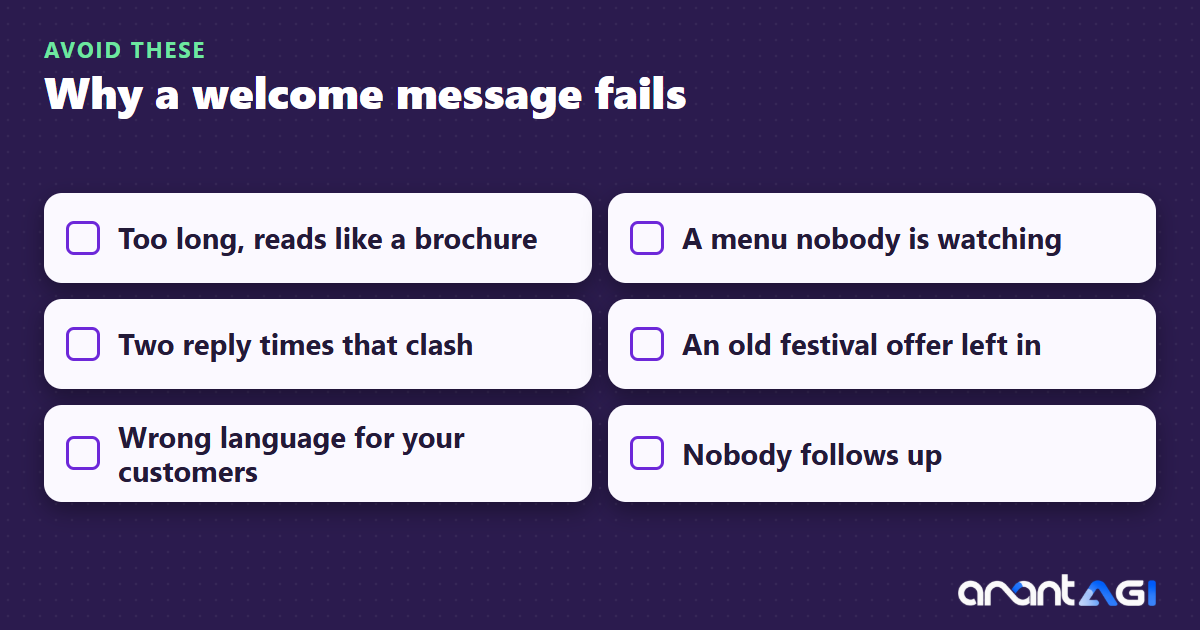
- Too long. The customer asked something simple and received a brochure. Aim for three or four short lines.
- A menu that goes nowhere. "Reply 1 for prices" promises a response. In a manual setup, someone has to send it. Use a menu only if a person watches the chat.
- Mixed signals. A greeting that says "we will reply in five minutes" and an away message that says "tomorrow" can reach the same person.
- Offers hidden in the greeting. A festival offer left in place after the festival looks careless.
- Language mismatch. If your customers write in Hinglish or Hindi, a formal English paragraph feels distant. Match how they write.
- Nobody follows up. The automatic line is only the first line. The sale or appointment depends on the human reply.
When several people need to answer the same enquiries and see the history, the question changes from wording to record keeping. See what a WhatsApp CRM adds.
How Anant AGI helps
Anant AGI is a business system that keeps quotations, invoices and follow-ups on one shared record, so that an enquiry that becomes a quotation does not live only in a chat. It does not write or send your WhatsApp Business app greeting. Sending and receiving WhatsApp from inside Anant AGI is planned and still to do, so treat it as not available today. You can ask for early access if you want to follow progress.
FAQ
What is a good welcome message for WhatsApp Business?
A good one names the business, asks one clear question and states when you will reply. For example: "Thanks for messaging [Shop Name]. What item do you need? We reply between 10 am and 8 pm."
What is the difference between a greeting message and an away message?
A greeting welcomes a customer who starts a chat, while an away message answers when you are unavailable, such as outside business hours. Write them so they do not contradict each other.
Can I write the welcome message in Hinglish or Hindi?
Yes, the message is text you type yourself, so you can write it in the language your customers use. Test it on another phone to check that it reads naturally.
Why is my greeting message not being sent?
Check that it is switched on, that your phone is online and who is selected as recipients. A vendor summary of WhatsApp's Help Center also says a customer who messaged within the last 14 days does not get the greeting again.
Are quick replies sent automatically?
No. A quick reply is a saved message that you choose and send yourself.
Sources
Read on 25 November 2026:
- WhatsApp Business, app features: whatsappbusiness.com
- WhatsApp Business, creating a strong first impression with the app: whatsappbusiness.com
- Kanal (vendor), guide summarising WhatsApp Help Center articles on automated messages: getkanal.com