
Banquet Hall Booking Software: A Buyer's Checklist

Good banquet hall booking software gives you one live calendar per space, separate tentative and confirmed dates, advance and balance tracking on every booking, staff roles, and an easy way to export your data. Buy it only after the vendor runs your messiest real booking in a live demo.
A banquet hall is not a meeting room. One family may book the lawn, the hall and a few rooms for three days, pay in instalments and change the guest count twice. Generic scheduling tools often handle that badly, so the checklist below starts from how a hall actually works.
This guide is for owners and managers who are about to compare tools. If you only want to fix double bookings, read how to stop double bookings first. If you run a planning business rather than a venue, use the event management software buyer's checklist instead.
What should banquet hall booking software do at a minimum?
Before you look at any product, write down what goes wrong today. Most halls land on the same short list: a date promised twice, an advance nobody can trace, a quote that differs from what the family remembers, and a manager who is the only person who knows the diary.
Vendor guides, which have a product to sell, still agree on the core. A real-time availability view comes first, so staff and clients see open dates before promising anything (Booking Ninjas). Deposits, invoices and balances should stay tied to the right event and client. The same guide also lists capacity per space and group handling for events that use several rooms or run over several days.
Turn that into a must-have list for your hall:
- One calendar for each bookable space (hall, lawn, rooms, parking or mandap area if you rent them separately).
- Booking states beyond "free" and "booked".
- Advance, balance and due dates recorded against each booking.
- A written quote or package attached to the same record.
- Roles, so not everyone can cancel or move a date.
- Works on a phone, because the manager is rarely at a desk.
- Your data can be exported if you leave.
The buyer's checklist: what to test before you pay
Use this as a scoring sheet. Give each line yes, partly or no during the demo, not after it.
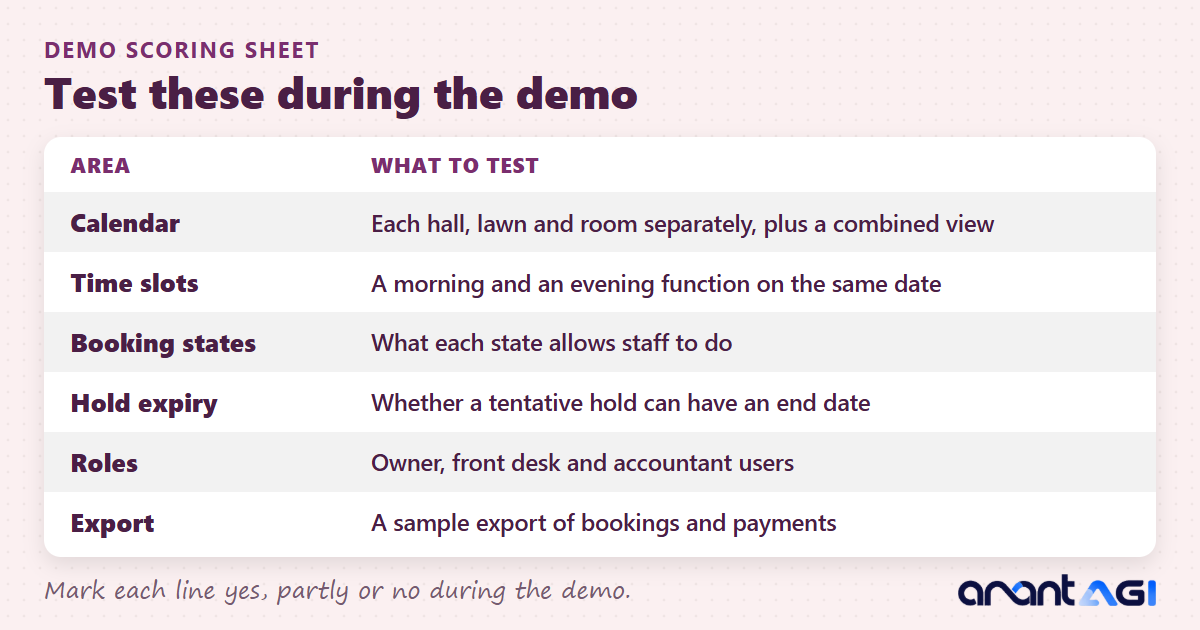
| Area | What to test | Why it matters for a hall |
|---|---|---|
| Calendar | Ask to see each hall, lawn and room as its own calendar, plus a combined view | A function on the lawn should not block the hall unless you want it to |
| Time slots | Create a morning and an evening function on the same date | Many halls run two functions a day; day-level blocking is not enough |
| Multi-day events | Book one family for three days across two spaces | Weddings run over several days and several spaces |
| Booking states | Ask for the states and what each one allows staff to do | A tentative date and a paid date must look different |
| Hold expiry | Ask whether a tentative hold can have an end date | Otherwise unpaid dates block the diary for months |
| Setup and clean-up time | Check you can block time before and after a function | A late finish should not collide with the next setup |
| Payments | Record an advance, a second instalment and a refund | You need to see what is paid and what is due without a calculator |
| Quotes and packages | Create a quote with hall rent, rooms and a food package | The quote should live on the booking, not in a separate chat |
| Roles | Make three users: owner, front desk, accountant | Front desk should not be able to delete a paid booking |
| Activity log | Change a date and see who did it and when | Settles "who moved my date" arguments |
| Mobile | Do the same booking on a phone | Site visits and walk-ins happen away from the desk |
| Export | Ask for a sample export of bookings and payments | Your data is the thing you cannot afford to lose |
Which booking states and holds should you insist on?
This is where most disappointment starts. A diary that only knows "free" and "booked" forces staff to improvise. VenueArc, a vendor writing about its own category, suggests looking beyond busy and free and asking the vendor to show each booking state and what staff can do in each one (VenueArc). Its own list runs from request and hold to booked and cancel, but your hall may need only three: enquiry, tentative with an end date, and confirmed with advance received.
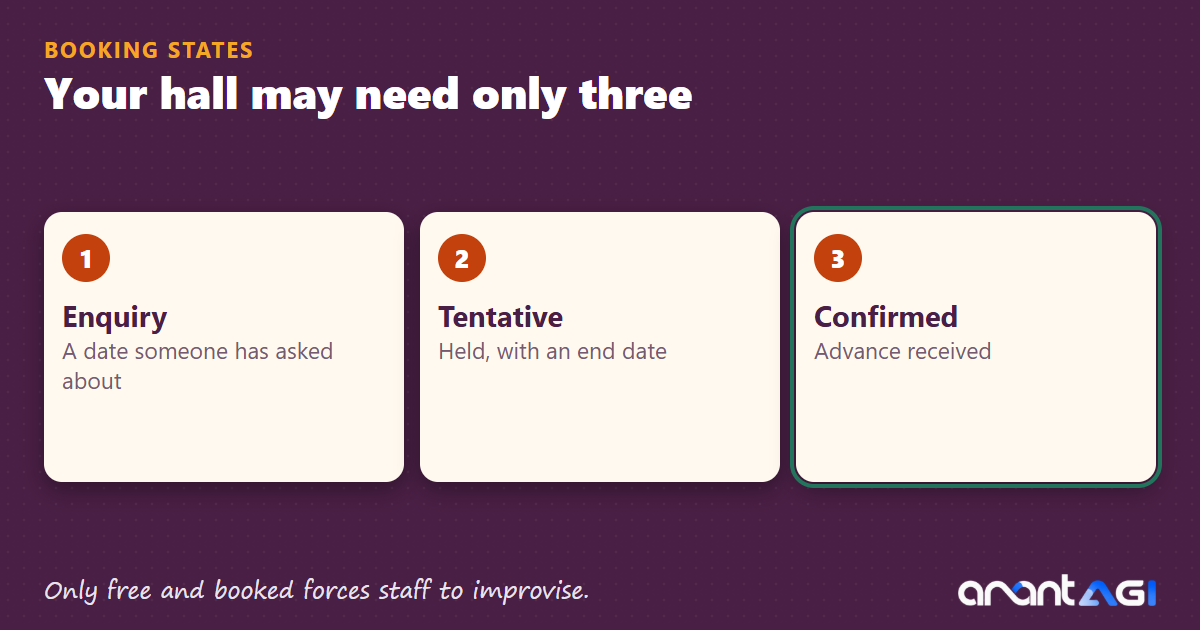
Ask these in the demo:
- Can a tentative date be shown differently from a confirmed one?
- Can a hold have an expiry date, and what happens when it passes?
- Can staff convert a hold to a confirmed booking, release it, and see who placed it?
- What does the system do when two people try to hold the same date at the same moment?
The same guide recommends testing conflicts before a second booking is committed, with awkward cases rather than the easy one: a booking that touches several spaces, overlapping holds, and an exception to a repeating booking. For a hall, add your own awkward cases: the Sunday when two weddings share a car park, or a function that always runs late.
How do you run the demo so the vendor cannot only show the happy path?
Send the vendor a real scenario a day before the call. Make it hard on purpose.
- A family enquires for the lawn and the hall on a Saturday, three months ahead.
- Staff place a hold for seven days and quote a package.
- The family pays an advance by UPI and the rest in two instalments.
- They move the function by one day and add 100 guests.
- A second family asks for the same Saturday.
- The manager checks who changed what.
Watch the steps, not the slides. VenueArc's guide makes the same point: walk one request through approval, contract, deposit, payment and remaining balance, and judge the vendor on your messiest real booking. If the vendor says "we can configure that later", note it as a no.
Also ask the practical questions that buyers forget:
- Who sets the system up, you or the vendor, and is that included?
- What happens if the internet goes down on a function day?
- Who owns the data, and in what format can you take it out?
- Is the price per user, per hall, per booking or flat? What is billed extra?
Vendor guides repeat one warning about price: pricing units differ, and setup, training and integrations can be billed separately (MyHotelLine). Ask for the full price in writing, including setup and what happens when you add another hall. Do not assume a low monthly figure means you can leave monthly. Ask about the contract term.
What about quotes, GST invoices and payments?
Most Indian halls collect money in several steps and by several modes. Your software should record each payment with the date, amount and mode, and show the balance on the booking. It should also let you produce a clean quote and, later, an invoice.
Do not rely on a vendor's statement that the software is "GST ready". Ask to see a sample invoice and have your accountant check it against the mandatory GST invoice fields. Which rate applies to hall rent, catering or decoration at your hall is a question for your CA. We have not covered it in this checklist, because it depends on how you bill. If your hall also sells packages that include food, the same demo test applies as in quotation and invoice software for event planners: create the document yourself and read every line.
What are the common mistakes and red flags?
- Buying on a feature list. A long list says little about whether the three things you do daily are easy.
- Choosing a hotel system for a family-run hall. Some banquet software is built around hotel operations, with point of sale and room systems you may never use. You pay for them anyway.
- Skipping the roles test. Shared logins mean you cannot say who deleted a booking.
- No export. If the vendor is vague about exporting your bookings and payments, treat it as a lock-in risk.
- Demo on the vendor's data. Insist on your own scenario.
- Trusting claims of AI features. Ask for a live example, what data it uses and what it costs extra.
- Automating everything on day one. Start with calendar, holds and payments. Add reminders once the basics are clean.
How Anant AGI helps
Anant AGI is building event management for venues and vendors, through a separate events build that is not part of the main Anant AGI app yet. The current direction includes a booking calendar with double-booking protection, bookings, manual payment records for advance and balance, a lead list, and team roles with an activity log. Holds with an expiry date, online payment and automatic reminders are still to do, so check the current status with us before you plan around them. We do not publish prices yet. To see what exists today, use the access form at /#access.
What should you do this week?
- Write your three worst booking problems from the last year.
- Copy the table above into a sheet and add your own lines.
- Shortlist two or three tools and send each the same scenario.
- Run the demos with your manager and your accountant in the room.
- Score each line while the demo runs and compare totals.
- Ask for a trial on a copy of next month's real bookings before you commit.
FAQ
What is the best banquet hall booking software in India?
There is no single best. The best tool for you is the one that handles your hall, lawn and room combinations, your payment steps and your staff roles in a live demo on your own scenario.
Do I need software if I use a paper register and WhatsApp?
You can run a small hall that way if one person controls both. Software starts to pay off when several people take enquiries, or when advance and balance tracking takes more time than you can spare.
Should banquet software include catering and kitchen orders?
Only if you run catering in-house and need printed event orders for the kitchen. Some vendors build this in, others do not, so ask directly rather than assume.
Is a free trial enough to decide?
Only if you load your real bookings into it. Run next month's actual calendar and payments through the trial, then check for clashes, wrong balances and missing history.
What should I ask about my data before signing?
Ask what format you can export bookings and payments in, how long the vendor keeps your data after you leave, and how it is deleted. Get the answers in writing.
Sources
- Booking Ninjas, features of banquet hall management systems (vendor blog): bookingninjas.com
- VenueArc, venue booking software buyer's guide (vendor blog): venuearc.com
- MyHotelLine, how to choose banquet management software (vendor blog): myhotelline.com