
Medical Equipment Service Software: What to Look For

Medical equipment service software is a system for a company that maintains other people's machines. It should keep a record for each machine, track AMC and warranty, log breakdown tickets against a response time, schedule PM visits, hold spare parts and produce the invoice. If it only tracks customers and visits, it is not enough.
This guide is for owners and service heads of CT, MRI, X-ray, ultrasound and lab equipment service companies in India. It lists what to check before you buy, what to ask in a demo and what to avoid. It names no products, because the right choice depends on your own team and contracts.
What is medical equipment service software, and who is it for?
It is a type of field service software (see what field service management software is) shaped around machines rather than around job slots. The unit you manage is the asset: this scanner, with this serial number, at this hospital, under this contract.
It is mainly for the service provider: an OEM's channel partner, an independent service company or a multi-brand engineering firm. A hospital that looks after its own equipment usually needs something closer to a maintenance management system. The two overlap, so check which side a product was designed for.
The WHO describes a medical equipment maintenance strategy as inspections (performance and safety), preventive maintenance to extend equipment life and reduce failure rates, and corrective maintenance (see Sources). Your software has to carry all three, for every machine, in a way a new engineer can pick up.
Which features matter most for a service company?
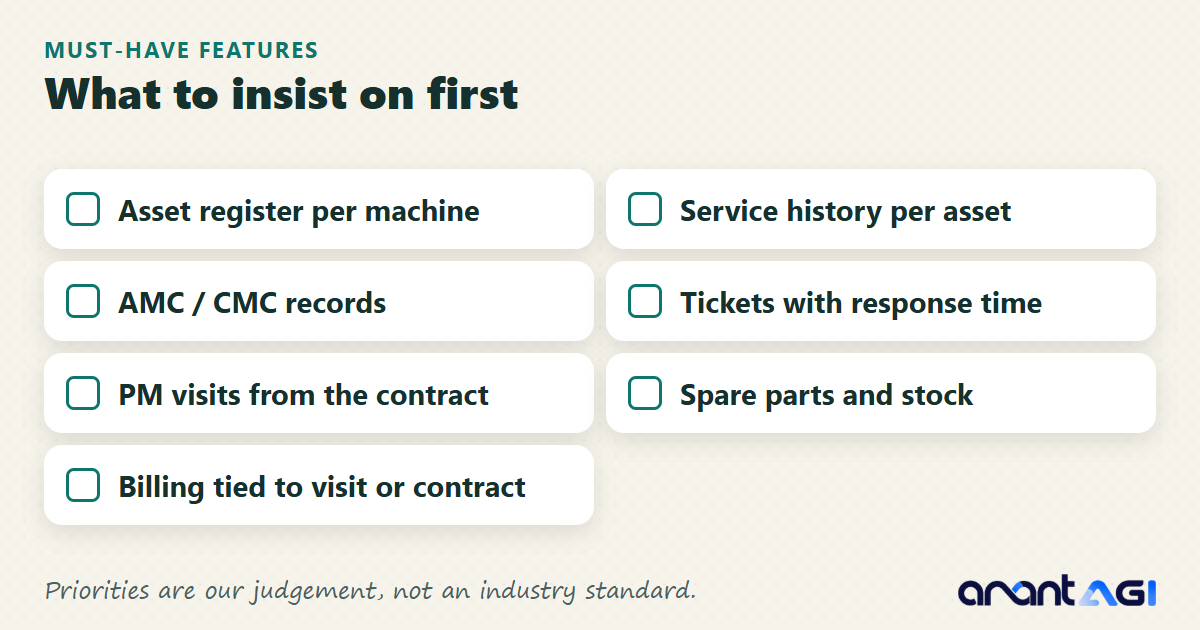
Start with the table below. It separates what you should insist on from what is nice to have. The priorities are our judgement as a service-side team, not an industry standard.
| Area | What to check | Priority |
|---|---|---|
| Asset register | One record per machine: make, model, serial number, install date, location, warranty end, contract cover | Must have |
| Service history per asset | Every PM, breakdown, part replaced and engineer remark, visible to the next engineer | Must have |
| AMC / CMC records | Contract type, start and end date, visit count, what is excluded, who pays for parts | Must have |
| Tickets with response time | Logged time of call, response target, time of arrival, time of closure | Must have |
| PM scheduling | Visits generated from the contract and assigned to an engineer, with a fixed checklist | Must have |
| Spare parts | Catalogue, stock, parts used per ticket, parts that were needed but not carried | Must have |
| Billing | Invoice tied to the visit or contract, with GST-ready fields | Must have |
| Engineer mobile access | Job details, checklist and customer sign-off from a phone | Strong |
| Customer portal | Hospital can raise a call and see status | Strong |
| Reports | Open tickets, repeat failures, contracts due for renewal, revenue by contract | Strong |
| Route planning, AI forecasts | Useful at scale, rarely the deciding factor for a small team | Nice to have |
Most vendor pages describe much the same list: scheduling and dispatch, mobile access for technicians, work orders, asset and inventory tracking, customer communication and analytics. Salesforce's own guide lists these and claims faster first-time fix and higher productivity; those are vendor claims, not independent results. Use them as a feature checklist, and test any benefit claim against your own work.
Why does the asset record matter more than the customer record?
A hospital may have a CT, an MRI and four X-ray units, each on a different contract with different dates. If your software keeps one record per customer, you will end up writing machine details in a notes field, and that is the point where the spreadsheet comes back.
With a record per asset, three things get easier:
- Faster diagnosis. The engineer sees the last visit, the last part changed and the open complaint before leaving the office.
- Correct billing. The ticket knows whether the machine is under warranty, AMC or CMC, so the system can suggest whether the visit and parts are chargeable. Read the contract wording as well: the difference between the two is explained in AMC vs CMC for medical equipment.
- Clean renewals. When the contract is linked to the machine, the renewal date is not buried in a file. See the AMC renewal tracking checklist.
How should the software handle uptime and response time?
Hospitals and imaging centres judge a service company on how long the machine is down and how fast you arrive. A trade-magazine article on imaging service contracts explains how the common terms work: uptime is the equipment's ability to be used for patients, and downtime does not start until the vendor is notified. It adds that response time is usually measured only within the contracted coverage hours, with values such as 4, 8 or 48 hours depending on the contract. It also says vendors typically guarantee 95% to 98% uptime, depending on the contract (24x7 Magazine; check your own contracts, as terms vary).
For your software, that means:
- The ticket must record the exact time the call was received, not the time someone typed it in later.
- Coverage hours and response target should come from the contract, not be remembered by a coordinator.
- Arrival and closure times should be captured by the engineer.
- The system should flag tickets that are about to breach the target, not just report breaches afterwards.
- Exclusions (for example, scheduled maintenance or site conditions that the contract rules out) should be visible on the ticket so disputes are settled from the record.
Ask for a demo of a breakdown call from start to finish, with your own contract terms entered. A product that can only show a generic "high priority" label is not tracking SLA.
What should you check about spare parts and billing?
Parts and billing are where service companies lose money quietly, so test both.
Spare parts. Look for a catalogue with part numbers, stock by location, parts used per ticket, and a way to record a part that was needed but not available. Without that last field you cannot see how often an engineer travelled twice because of a missing part.
Billing. The invoice should come from the ticket or contract, not be retyped. For AMC invoices, the document must carry the usual GST fields; our guide to the GST invoice for an AMC service contract covers what to check, and your CA should confirm the tax treatment for your case. Also check whether the product can issue contract invoices on a schedule and show which ones are unpaid, because a service company's cash often depends on AMC collections.
Checklist: questions to ask in a demo
Use these with any vendor, including us:
- Open a machine that has had three visits. Can the engineer see all three, with parts used?
- Raise a breakdown call. Where does the response-time clock start, and what happens when it is about to breach?
- Show me every contract that ends in the next 60 days.
- Create a PM visit schedule for a contract with four visits a year.
- Record a spare part used on a visit. Does stock reduce?
- Generate the invoice for that visit or contract. Which fields are filled automatically?
- Can a hospital user raise a call without calling my office?
- Who owns the data, and can I export every machine, contract and ticket if I leave?
- Which of the features you just showed are live today, and which are planned?
The last question matters most. Many demos mix finished features with roadmap slides, so ask for a written list of what is live.
What mistakes do service companies make when buying?
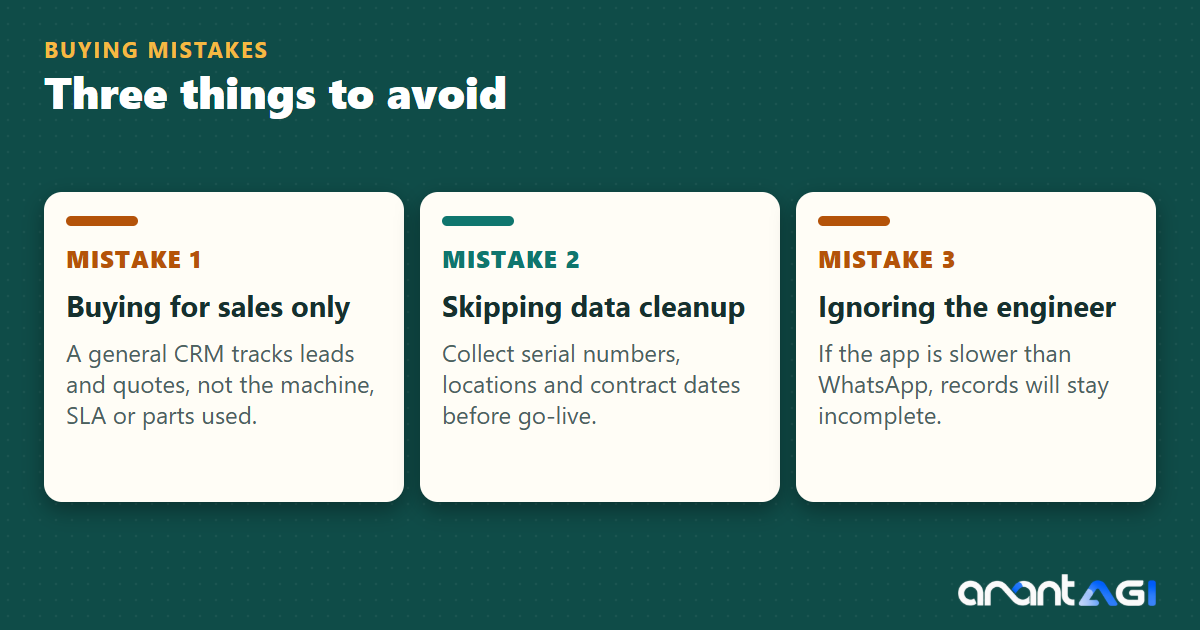
- Buying for the sales side only. A general CRM tracks leads and quotes but not the machine, the SLA or the parts used.
- Skipping data cleanup. The software is only as good as your machine list. Collect serial numbers, locations and contract dates before go-live, in one clean sheet.
- Ignoring the engineer. If the engineer finds the app slower than WhatsApp, records will stay incomplete. Test it with your own engineers.
How Anant AGI helps
Anant AGI's equipment-service pack already holds the building blocks described here: an asset register, AMC contract records, service tickets with SLA, PM visits and dispatch, a spare-parts catalogue, agreement documents and a customer portal. A renewal-expiry detector for AMC contracts is part of the Revenue Recovery design, while tuning it, WhatsApp reminders and payment links are listed as still to do. Please confirm current status in a demo before you rely on them. Anant AGI does not give legal or tax advice.
If you want to see how this works with your own machines and contracts, you can start from the Anant AGI access page.
FAQ
What is medical equipment service software?
It is software used by a company that services other people's medical machines. It keeps a record per machine, tracks AMC and warranty, logs service tickets against response targets, schedules PM visits, tracks spare parts and raises invoices.
Is it the same as a CMMS for hospitals?
Not exactly. A CMMS is usually used by the owner of the equipment to manage its own assets, while service software is used by the provider managing visits across many customers. Some products cover both, so check which side the product was designed for.
Do I need it if I have only a few engineers?
The problem starts as soon as engineers work at sites and machine history lives in memory or on WhatsApp. A small team can start with a simple setup of assets, contracts and tickets and add modules later.
Can Excel do the same job?
It can for a short while, with a few dozen machines and one coordinator. It stops working when you need reminders, response-time tracking, parts stock and a history that every engineer can see.
What should I prepare before moving to new software?
Make one clean list of machines with serial number, site, warranty end and contract details, and a list of open contracts with end dates. That list takes the most time and decides how useful the system is on day one.
Sources
- WHO, Medical equipment maintenance programme overview (publication page; inspections, preventive and corrective maintenance): who.int
- WHO, Management and use of medical devices (Medical Devices Technical Series list: inventory management, maintenance programme, CMMS): who.int
- 24x7 Magazine, "Service contract management II" (uptime and response time in imaging service contracts): 24x7mag.com
- Salesforce, field service management software guide (feature list; benefits are vendor claims): salesforce.com